DocsAlot vs HelpDocs
Read this when customer-facing docs have grown beyond basic support articles and you need to decide whether HelpDocs is still the right home or whether DocsAlot is the better long-term fit.
Published design
Two different ways to publish helpful docs.
HelpDocs centers its published experience on support search and articles. DocsAlot brings product guides, technical docs, and help content into one hosted site.
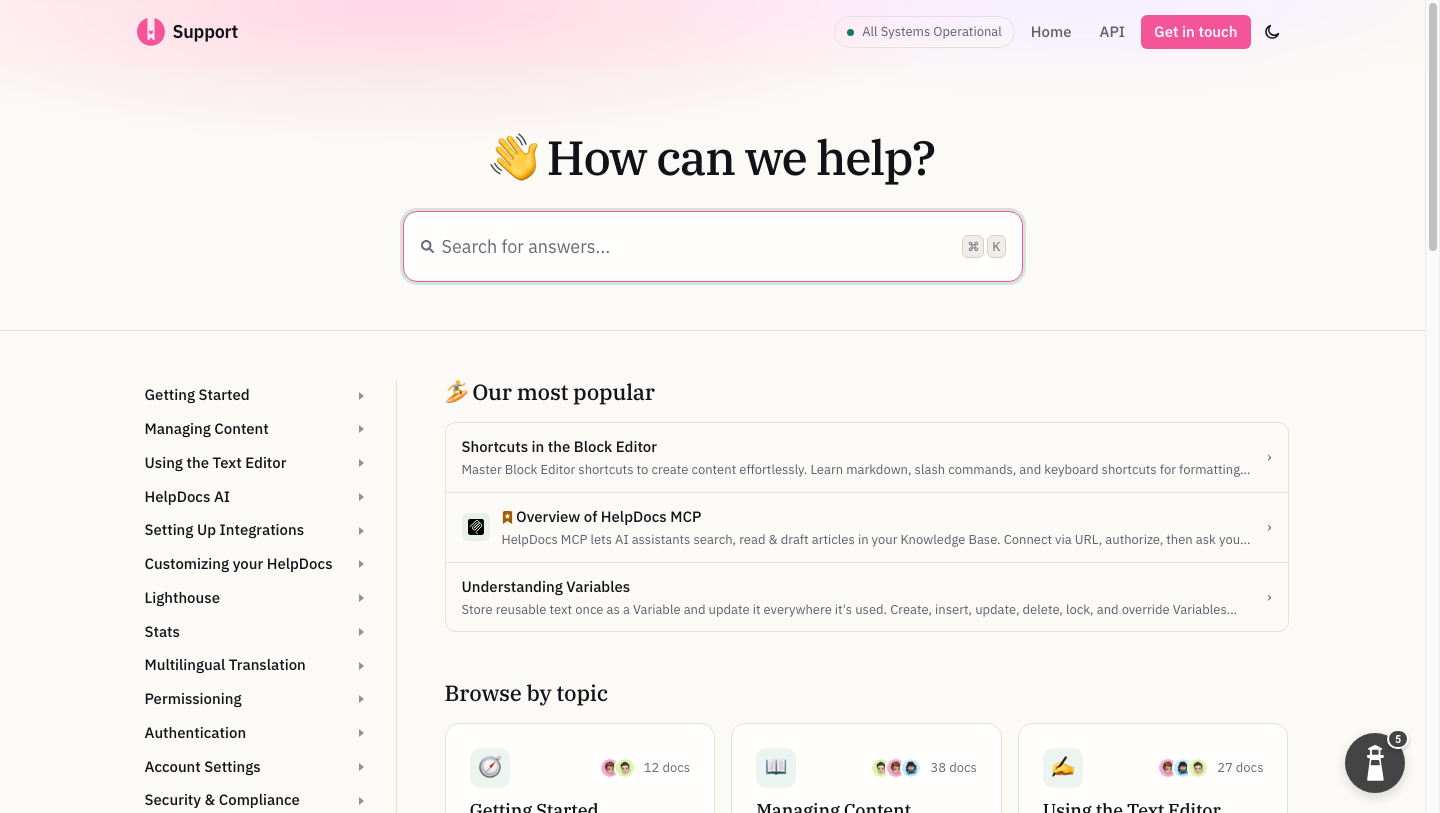
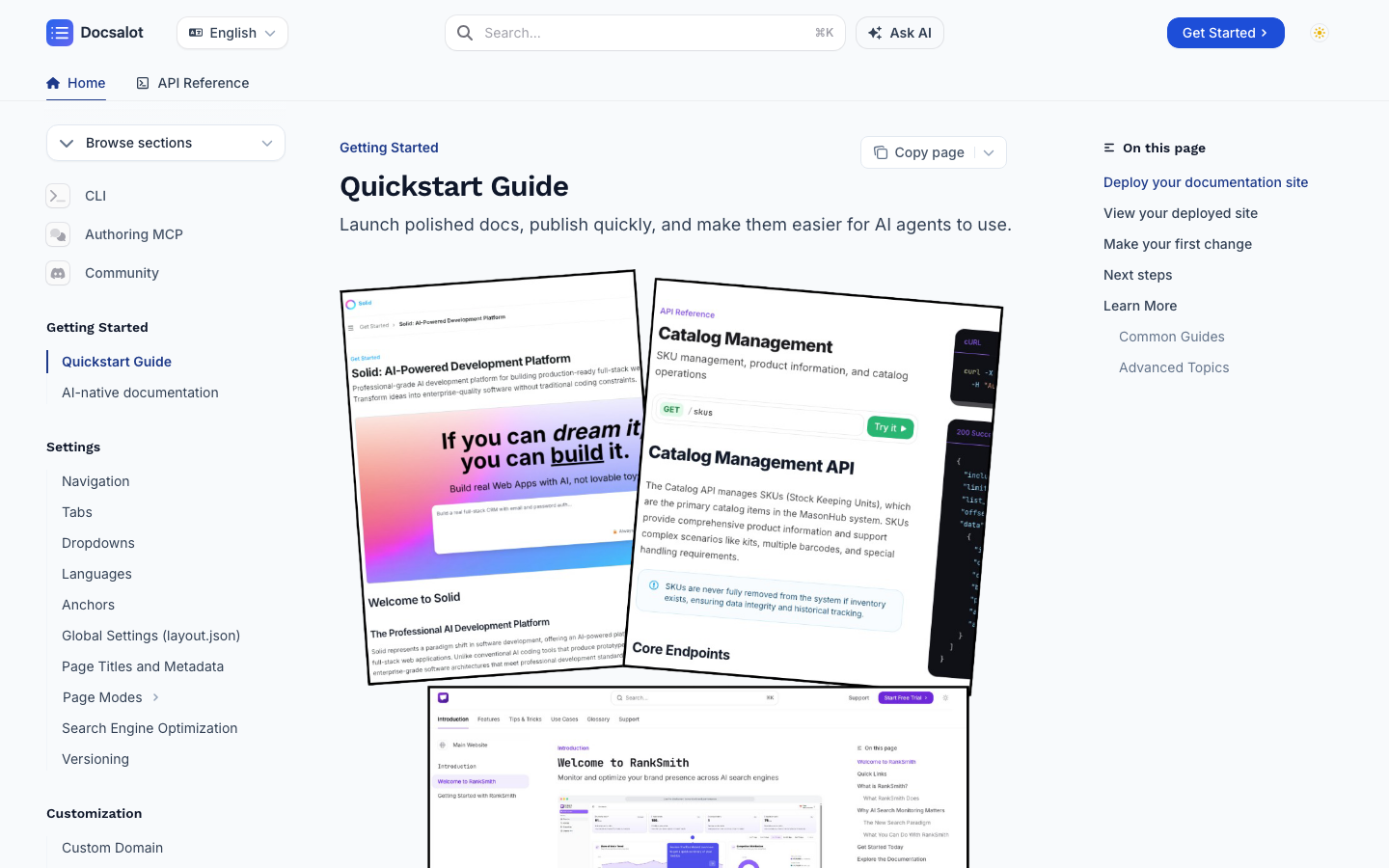
HelpDocs screenshot captured October 31, 2026. Use the live links above to review either site's current design.
Why teams pick DocsAlot
Where DocsAlot tends to pull ahead.
DocsAlot is usually the better fit once the help center has become a broader product-docs job, not just a support-content system.
Broader Than a Support KB
DocsAlot is stronger when the documentation layer needs to support onboarding, product education, and technical content in addition to support self-service.
AI-Readable Delivery Outside the Help Center
Publish llms.txt, skill.md, and hosted MCP access so agents can consume product knowledge from a canonical docs layer.
Stronger Technical Docs Fit
DocsAlot is a better fit when the same system needs to handle APIs, technical docs, and customer-facing help content together.
Lower Starting Price, Broader Scope
DocsAlot starts at $79/month on monthly billing, while HelpDocs starts at $129/month. Choose based on the documentation job and included features, not price alone.
One Knowledge Layer Beyond Support Articles
Use the same system for help content, onboarding, product education, technical guidance, and developer documentation.
Pricing model
How the cost shape changes.
Plans, limits, and packaging change. Use these figures to understand the cost shape, then confirm the current offer before purchasing.
On monthly billing, HelpDocs lists Sprout at $129, Bloom at $299, and Harvest at $499. The plans differ by editor count, AI credits, permissions, and language support.
Startup is $79/month for public docs. Team is $149/month for production help centers and developer docs. Enterprise adds governance, migration support, and rollout help.
Pricing verified November 5, 2026 against the official HelpDocs pricing page and the DocsAlot pricing page. Taxes, negotiated plans, and billing terms can change the final total.
Workflow comparison
Compare what each price buys.
Compare the support-knowledge-base workflow with a broader documentation platform before you switch.
Swipe sideways on mobile to view the full matrix.
| Dimension | DocsAlot | HelpDocs | Takeaway |
|---|---|---|---|
| Platform center of gravity | Documentation | Support self-service | HelpDocs if the main job is a lean support help center. DocsAlot if the docs layer must do more than support deflection. |
| Technical docs fit | Stronger | Limited | DocsAlot if the documentation layer must also serve technical and product-docs jobs. |
| AI / agent readiness | llms.txt + skill.md + hosted MCP | Ask AI inside the KB | Both use AI, but for different jobs. DocsAlot is stronger if AI-readable delivery is the main requirement. |
| Pricing shape | $79-149/month | $129-499/month | DocsAlot starts lower on monthly billing and covers a broader docs job. Compare the included editor, AI, and support features for your team. |
| Migration depth | Good | Strong | HelpDocs if migrating between help-center tools is the main requirement. |
| Broader documentation scope | Stronger | Narrower | DocsAlot if the company needs more than a support-team knowledge base. |
This matrix is intentionally dense because these pages are meant to answer buying questions, not just act as thin keyword landing pages.
Migration path
Test a move from HelpDocs without risking search traffic.
Keep the current site live while you review a private DocsAlot draft. Switch only after the content, design, routes, and redirects have earned approval.
- Start with the live docs. Submit the current public URL so the first draft begins with real content and navigation instead of an empty workspace.
- Review a private preview. Check page structure, code examples, assets, search, responsive behavior, and the published design while the existing site remains untouched.
- Keep the source model that works. Connect the repository when Git should remain canonical, then use pull requests, coding agents, or the browser editor without rebuilding the publishing stack.
- Preserve URLs before DNS changes. Keep the existing domain and page paths wherever possible, then create one-to-one redirects for every route that must change.
- Cut over only after approval. Change the domain when the replacement is ready, submit the sitemap, and monitor indexing, clicks, redirects, and crawl errors after launch.
The evaluation is reversible: your current HelpDocs site stays live until the DocsAlot version is ready. Preserve the same domain and routes and search engines continue to resolve the same URLs; only the publishing layer changes.
Product shape
What each product is optimized to do.
Two tools can overlap on outputs while still being built for very different documentation jobs. This is the higher-level operating-model read.
HelpDocs
What HelpDocs optimizes for.
HelpDocs is a lean AI-enabled support knowledge base built for smaller and midsize support teams that want lightweight self-service without stepping into a much larger support suite or heavier documentation platform.
DocsAlot
What DocsAlot optimizes for.
DocsAlot is a managed documentation system for teams that want help-center and developer-docs infrastructure, AI-readable outputs, hosted MCP access, and broader product-documentation coverage than a support KB alone provides.
FAQs
Questions that usually block the switch.
These are usually the questions that slow internal alignment, migration planning, or procurement once the shortlist is already real.
Will moving from HelpDocs affect our SEO or GEO?
It should not when the migration preserves the current domain, page paths, metadata, canonicals, and internal links. We map changed paths with redirects, validate the sitemap before launch, and keep the existing site live until the replacement is ready.
Can DocsAlot help us migrate from HelpDocs?
Yes. Start with the current public docs URL and DocsAlot can prepare a private migration draft. We review content, navigation, assets, URL mapping, and redirects before any production cutover.
Can Git remain the source of truth?
Yes. Keep documentation in the repository and use pull requests or coding agents as the primary workflow. DocsAlot adds the hosted preview and publishing layer rather than forcing the source into a proprietary editor.
Do we need to take the current docs offline to evaluate DocsAlot?
No. Build and review the DocsAlot version on a private preview URL while the current site remains untouched. Change the domain only after the content, routes, and design have been approved.
When should we stay with HelpDocs?
Stay with HelpDocs when support articles, internal knowledge, and self-service search are the complete requirement and the team does not need Git-centered technical docs or external agent interfaces.
Is DocsAlot better than HelpDocs for technical teams?
For technical teams, yes. DocsAlot gives stronger technical structure, faster updates, and lower ongoing manual effort.
Is HelpDocs only for support teams?
That is its clearest fit. HelpDocs is strongest as a lean support-led knowledge base rather than a broader product and technical documentation system.
When does HelpDocs still make more sense?
HelpDocs makes more sense when the main job is a lightweight self-service help center for a smaller support team.
Which is better for product documentation?
DocsAlot is usually better when the documentation layer must also support onboarding, product education, and technical content.
Can I migrate from HelpDocs later?
Yes. HelpDocs already supports common import and export flows, so the harder decision is when your help center stops being enough for the full documentation job.
Can teams use both?
Yes, but most teams only need both temporarily. Once the documentation layer needs to cover more than support self-service, consolidating on a broader docs system often becomes cleaner.
Customer proof
What teams say after publishing with DocsAlot.
These are DocsAlot customers and live documentation sites. They are product proof, not a claim that every customer migrated from HelpDocs.
"Fantastic stuff! The introduction perfectly nails the Mako Code's idea. I particularly enjoyed the Technical Deep Dive with its explained code snippets, and the Project Architecture's file tree was both cool and useful."
"I don't know what you did, but it's amazing. Just having our docs on DocsAlot gave us an uptick in SEO, the page-load speed is super fast, and auto-sync is a game changer."
"We were looking into Mintlify/GitBook for our docs, but were disappointed. Super expensive ($300) for the value they were offering. Switched to DocsAlot and couldn't be happier."
Private migration preview
See your HelpDocs docs hosted by DocsAlot.
No DNS changes, no downtime, and no public launch. Your current site stays live while you review the editable hosted draft.
Try the workflow
Ready to test whether DocsAlot fits your documentation stack?
Use your current HelpDocs docs as the starting point. DocsAlot will carry the public URL into onboarding so you can generate and review an editable migration draft.
Comparing more options? Read the HelpDocs alternatives shortlist.