GitBook Alternative
A GitBook alternative for agentic docs-as-code.
GitBook has the better editor and multiplayer collaboration. DocsAlot has the stronger published design and the more agentic docs-as-code workflow.
Pick GitBook when your team wants to live in a polished visual editor together. Pick DocsAlot when the repository is the source of truth, editors should be unlimited, and hosting should scale with the traffic your docs receive rather than the number of people contributing.
Start with your current docs
Turn your GitBook docs into an editable first draft.
We will carry this URL through sign-in and prefill the existing-content workflow. You review the structure before making the new site your own.
Comparing a wider shortlist? Read the best GitBook alternatives.
Published design
DocsAlot wins on published design.
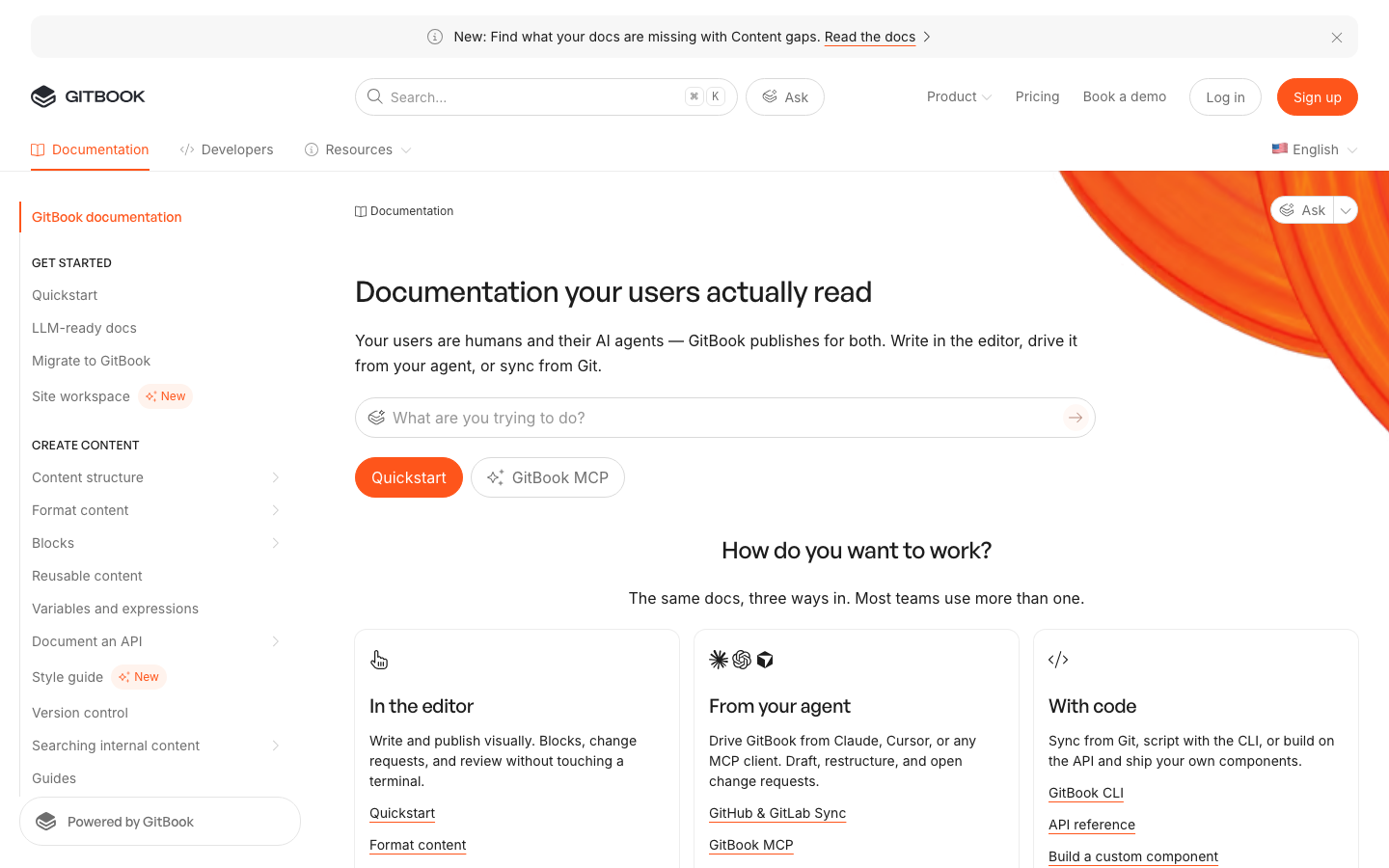
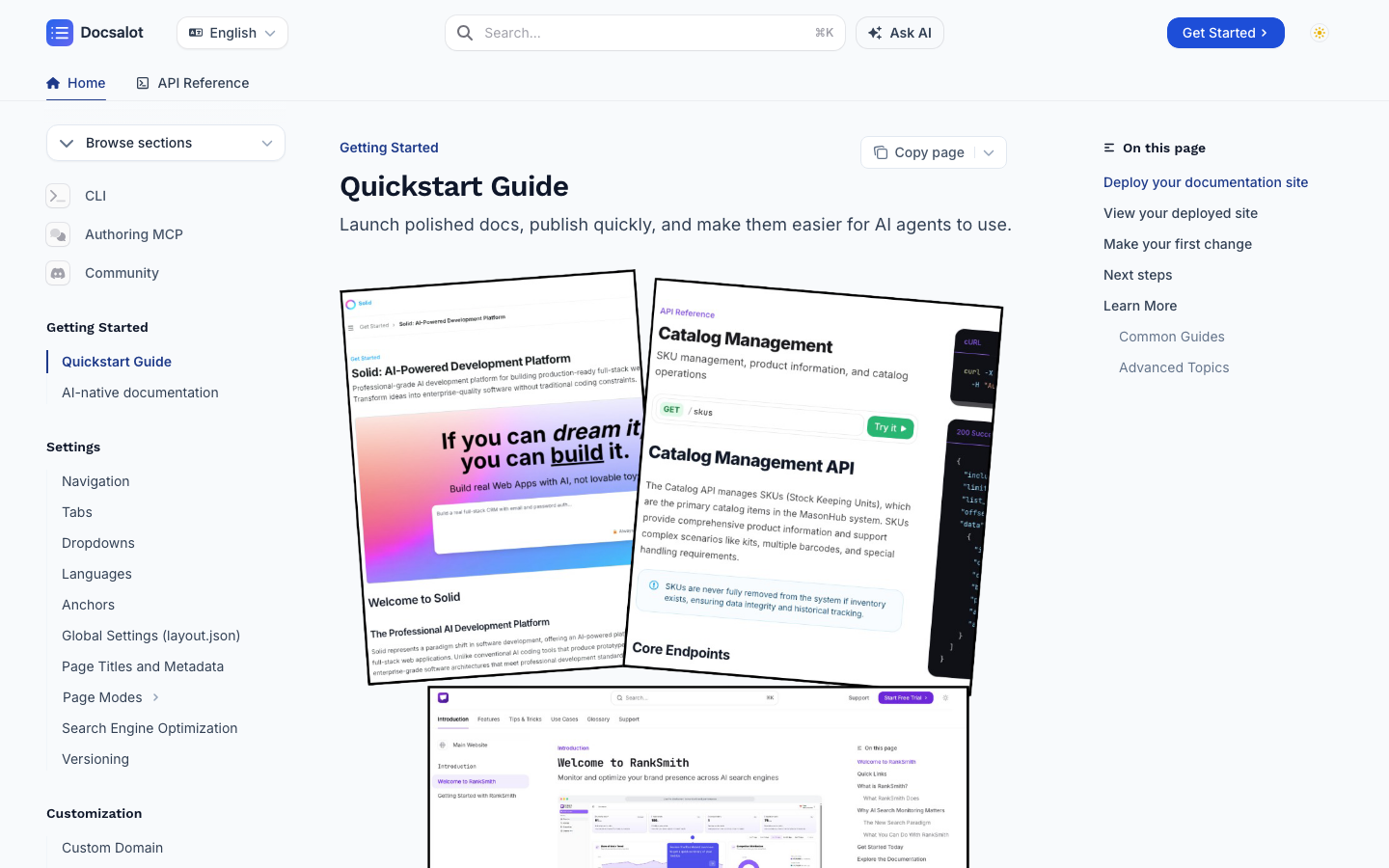
GitBook has the stronger editor. For the published product-docs experience, DocsAlot uses clearer information hierarchy, richer product visuals, and a more direct path between guides, API reference, and agent-facing actions.
Measured mobile Lighthouse
DocsAlot-hosted docs scored 82.
The DocsAlot-hosted Backboard documentation recorded a three-run median performance score of 82. GitBook's documentation recorded a separate three-run median of 54. The test dates and pages differ, so treat this as directional evidence rather than a controlled head-to-head result.
- Largest Contentful Paint
- 3.8 s
- Speed Index
- 3.5 s
- Total Blocking Time
- 40 ms
- Network requests
- 34
Tested page: docs.backboard.io ↗
- Largest Contentful Paint
- 11.1 s
- Speed Index
- 6.7 s
- Total Blocking Time
- 320 ms
- Network requests
- 63
Run scores: 52, 55, 54
DocsAlot-hosted reference: Lighthouse 13.5.0, Simulated mobile, median of three cold-cache runs, . GitBook reference: Simulated mobile, median of three cold-cache runs per site on the same machine, , testing GitBook docs. Both full reports are linked above. Lab results vary by page, machine, network model, and test conditions.
Why teams pick DocsAlot
Where DocsAlot tends to pull ahead.
Choose GitBook for the better multiplayer editor. Choose DocsAlot when published design, repository-first agents, unlimited editors, and traffic-based capacity matter more.
DocsAlot Wins on Published Design
DocsAlot gives product and developer docs a more focused visual hierarchy, richer product storytelling, and a clearer path between guides, API reference, and agent-facing actions.
DocsAlot Wins on Agentic Docs-as-Code
GitBook can sync with Git. DocsAlot goes further by making the repository, CLI, MCP, coding agents, website, and product context part of the everyday authoring and publishing workflow.
DocsAlot Wins When Agents Own More Work
Use coding agents to create, update, preview, and publish docs, then serve llms.txt, skill.md, and hosted MCP beside the human experience.
DocsAlot Wins When More Editors Join
GitBook combines site and per-user charges. DocsAlot includes unlimited editors and scales plans with published docs and MCP traffic capacity instead of seat count.
Automatic Documentation Refresh
DocsAlot keeps documentation aligned with product and code updates, reducing stale content that teams often face in GitBook.
Pricing model
Pay for the editor or the docs workflow.
GitBook pricing is less clear at a glance because it combines a site plan with a charge for each user. DocsAlot includes unlimited editors and scales hosting plans with published docs and MCP traffic capacity instead of seat count.
GitBook pricing is less clear at a glance because the total combines a site plan with a charge for every user. Using the public monthly rates verified October 17, 2026, Essential is $79 per site plus $15 per user and Ultimate is $299 per site plus $15 per user.
Startup is $39/month and Team is $99/month. Both include unlimited editors with no per-seat charge; plans scale by the published docs and MCP traffic capacity your site needs.
Pricing verified October 17, 2026 against the official GitBook pricing page and the DocsAlot pricing page. Taxes, negotiated plans, and billing terms can change the final total.
Side-by-side matrix
Compare workflow, cost, and maintenance.
This table exists to answer the buying question directly, not just to stack feature checkmarks side by side.
Swipe sideways on mobile to view the full matrix.
| Dimension | DocsAlot | GitBook | Takeaway |
|---|---|---|---|
| Published design | Focused product-docs design | Clean knowledge-platform design | DocsAlot wins for product and developer docs that need stronger hierarchy, richer visuals, and a more focused published experience. |
| Multiplayer editing | Browser editor for unlimited contributors | Best-in-class collaborative block editor | GitBook wins when several people need a polished, real-time writing and review room. |
| Docs-as-code | Repository-first + CLI + agents | Two-way Git Sync | DocsAlot wins when the repository remains primary and coding agents should create, preview, and publish without moving the operating model into GitBook. |
| Agentic workflow | Code + website + dashboard context | GitBook Agent + connected signals | Both have real agents. DocsAlot wins when coding agents need broader product context; GitBook wins when the agent should work inside its editor and change requests. |
| Pricing model | Unlimited editors; traffic capacity | Site plan + per-user charge | DocsAlot wins when the team wants to add contributors without increasing the bill for every editor. |
| Agent-readable delivery | llms.txt + skill.md + hosted MCP | LLM-ready docs + MCP | This is a tie on the baseline. DocsAlot differentiates through the authoring and upkeep workflow around those outputs. |
| Migration support | Hands-on migration path | Self-serve import; Enterprise migration | DocsAlot wins for lean teams that want hands-on URL mapping and launch help without buying an Enterprise contract. |
| Documentation Velocity | High | Medium | DocsAlot - Faster drafting and iteration cycles. |
This matrix is intentionally dense because these pages are meant to answer buying questions, not just act as thin keyword landing pages.
Long-form read
What this comparison means in practice.
GitBook is the editor to beat. DocsAlot is the stronger published product-docs experience when repositories, coding agents, and automated upkeep matter more than the writing surface.
GitBook deserves a clear win on visual editing. Its block editor is polished, familiar, and backed by real-time collaboration, reviews, version history, two-way Git Sync, and a capable Agent. If the writing and review room is the main reason you are buying a documentation platform, GitBook is the safer choice.
DocsAlot makes a different tradeoff. The repository stays primary, coding agents can create and maintain docs with context from the codebase, website, and product dashboard, and the same workflow can preview and publish the result. On the public side, DocsAlot favors a more focused product-docs design with stronger visual hierarchy and clear movement between guides, API reference, and agent-facing actions.
The price makes that operating-model choice concrete. GitBook pricing is less clear at a glance because the total combines a site plan with a charge for every user. DocsAlot does not charge per editor: Startup and Team include unlimited editors, while the plans scale with the published docs and MCP traffic they serve. Pay for GitBook when multiplayer editing earns its keep; choose DocsAlot when more contributors should not increase the bill.
Migration path
How to move from GitBook without losing search traffic.
Treat the switch as a controlled URL and content migration, not a copy-and-paste project.
- Export and inventory. Capture every published page, asset, canonical URL, and current redirect before changing platforms.
- Map the new information architecture. Keep strong URLs where possible and create one-to-one redirect rules for every path that changes.
- Choose the authoring model. Connect Git sync when the repository should remain the source of truth, or use the browser editor for a hybrid workflow.
- Review the rendered site. Check navigation, code examples, API references, metadata, internal links, and mobile layouts before launch.
- Launch and verify. Publish the redirects, submit the sitemap, then monitor canonical coverage, indexed pages, clicks, and queries in Search Console.
Still comparing the broader market? Use the GitBook alternatives guide before committing to a two-product migration. If Git remains part of the target workflow, use the docs-as-code guide to define review, checks, publishing, and ownership before moving content.
Product shape
What each product is optimized to do.
Two tools can overlap on outputs while still being built for very different documentation jobs. This is the higher-level operating-model read.
GitBook
What GitBook optimizes for.
GitBook is a hosted knowledge platform built around an excellent multiplayer block editor, real-time collaboration, change requests, two-way Git Sync, GitBook Agent, AI search, and MCP. Its center of gravity remains the GitBook writing and review environment.
DocsAlot
What DocsAlot optimizes for.
DocsAlot is a repository-first documentation system for teams that want stronger published design, coding-agent workflows, AI-readable outputs, hosted MCP, and agents that can work from code, website, and dashboard context.
FAQs
Questions that usually block the switch.
These are usually the questions that slow internal alignment, migration planning, or procurement once the shortlist is already real.
Will migrating from GitBook affect our SEO or GEO?
We keep the existing custom domain and preserve valuable URL paths, metadata, canonicals, redirects, and sitemap coverage. You review the migrated site privately before launch, so the current GitBook site stays live while we verify that readers, search engines, and AI crawlers still reach the right pages.
We do not have time to migrate. Can DocsAlot handle it for us?
Yes. Send us the current GitBook site and we will map the content, navigation, assets, and URLs into a private DocsAlot draft. Your team reviews the result before any DNS change, so migration work does not interrupt the live site.
Can we keep our current domain and documentation URLs?
Yes. We keep the same domain and paths wherever possible, and create one-to-one permanent redirects for any path that must change. That protects existing links and lets the public cutover happen without asking customers to learn a new docs location.
Will our docs keep the same design after leaving GitBook?
We recreate the navigation, hierarchy, branding, and common content blocks in the private draft, then refine the public experience with you. GitBook's editor will not be reproduced, but the published site can retain the recognizable brand and structure your readers already know.
Can our repository remain the source of truth?
Yes. Your team can continue working in Git and Markdown while DocsAlot handles the published site, local previews, and production delivery. GitBook also offers Git Sync; the difference is that DocsAlot keeps the repository and your existing coding agents at the center of the workflow.
What changes for writers who use GitBook's multiplayer editor?
DocsAlot supports browser editing and Git-based review, but it does not recreate GitBook's real-time same-page multiplayer experience. If several writers collaborate in the editor every day, GitBook remains the stronger authoring tool; DocsAlot is better when engineers and coding agents already work through the repository.
What happens to private docs, search, analytics, redirects, and custom scripts?
We inventory access requirements and production dependencies before migration, then verify search, analytics, redirects, metadata, and supported scripts in the private draft. Any permission model or custom integration that needs adaptation is identified before the public switch.
Will adding more editors increase our DocsAlot bill?
No. DocsAlot does not charge per editor, so the people who contribute to the docs do not create another seat fee. Plans scale with the published documentation and traffic rather than the number of teammates allowed to edit it.
What if we review the migrated site and decide not to switch?
Nothing changes publicly while you review the private draft; the current GitBook site stays live. If DocsAlot does not earn the switch, keep GitBook with no forced cutover.
When should we stay on GitBook?
Stay on GitBook when its polished multiplayer editor, change requests, and editor-centered review process are central to how a larger writing team works. Move to DocsAlot when the repository and coding agents do more of the work, published design matters more, and adding contributors should not add seat fees.
Customer proof
What teams said after switching.
The same social proof from the landing page lives here too, so these alternative pages carry the same credibility layer as the rest of the buying journey.
"We were looking into Mintlify/GitBook for our docs, but were disappointed. Super expensive ($300) for the value they were offering. Switched to DocsAlot and couldn't be happier."
"Fantastic stuff! The introduction perfectly nails the Mako Code's idea. I particularly enjoyed the Technical Deep Dive with its explained code snippets, and the Project Architecture's file tree was both cool and useful."
"I don't know what you did, but it's amazing. Just having our docs on DocsAlot gave us an uptick in SEO, the page-load speed is super fast, and auto-sync is a game changer."
Try the workflow
Ready to test whether DocsAlot fits your documentation stack?
Use your current GitBook docs as the starting point. DocsAlot will carry the public URL into onboarding so you can generate and review an editable migration draft.