Docs as code means writing and managing documentation with the same tools and controls used for software: plain text, Git, branches, pull requests, automated checks, and repeatable deployment.
That definition is useful, but incomplete.
Docs-as-code gives documentation version control, review, tests, and deployment. It does not automatically keep documentation correct. Git can tell you who changed a page. It cannot tell you that an engineer changed an API three weeks ago and nobody updated the guide.
Git is a change-control system, not a freshness system.
This guide explains the full documentation-as-code workflow, the tools involved, the tradeoffs teams discover later, and how a hybrid Git plus browser workflow can keep the benefits without making every contributor learn Git.
Last updated: August 28, 2026.
What Does Docs As Code Mean?
The Write the Docs community defines documentation as code as using the same tools and workflows as development teams. In practice, a complete docs-as-code system usually includes:
- plain-text content such as Markdown, MDX, AsciiDoc, or reStructuredText
- a Git repository that records content and configuration
- branches or change sets for work in progress
- pull requests and named reviewers
- automated style, link, build, and schema checks
- preview deployments for reviewers
- a publishing pipeline triggered by an approved merge
- ownership rules for deciding which product changes require documentation
The file format is the least interesting part. A folder full of Markdown is not automatically a docs-as-code workflow. The value comes from the controls around those files.
A Practical Docs-As-Code Workflow
A healthy workflow has six steps.
1. Detect A Documentation Change
The trigger is usually a feature, API change, bug fix, migration, deprecation, or support pattern. The team decides whether the change affects a quickstart, concept guide, API reference, troubleshooting page, changelog, or all of them.
This is the step most teams skip. If nobody connects product change to documentation work, the rest of the pipeline never runs.
2. Create A Branch With The Product Change
The documentation change can live in the same pull request as the code or in a linked docs repository. Keeping it in the same change set makes missing documentation visible during review.
A small repository might look like this:
1acme-api/2|-- src/3|-- openapi/4| `-- public-api.yaml5|-- docs/6| |-- quickstart.mdx7| |-- authentication.mdx8| |-- errors.mdx9| `-- migrations/10|-- docs.config.ts11|-- package.json12`-- .github/13 `-- workflows/14 `-- docs-checks.ymlThe exact structure matters less than one rule: a reviewer should be able to see the code, specification, and documentation impact together.
3. Write In Plain Text And Preview Locally
Markdown and MDX work well because they are readable in a code review and render into a full documentation site. Writers can use an editor, developers can stay in their IDE, and the team can preview the same output that will be published.
Plain text also makes mechanical changes easier. Renaming a product term, updating an endpoint, or checking all references to an old option becomes a repository-wide search instead of a manual page audit.
4. Run Automated Documentation Checks
A useful CI job should fail on the problems a reviewer should not have to find manually:
- invalid frontmatter or schema
- broken internal links
- formatting and style violations
- a documentation build that no longer compiles
- OpenAPI errors when reference docs come from a specification
- missing required pages or metadata
Here is a small GitHub Actions example. The script names are intentionally generic so they can point to your chosen linter, link checker, and site generator.
1name: Docs checks2
3on:4  pull_request:5    paths:6      - "docs/**"7      - "openapi/**"8      - "docs.config.ts"9      - "package.json"10
11jobs:12  validate-docs:13    runs-on: ubuntu-latest14    steps:15      - uses: actions/checkout@v416      - uses: actions/setup-node@v417        with:18          node-version: 2219          cache: npm20      - run: npm ci21      - run: npm run docs:lint22      - run: npm run docs:links23      - run: npm run docs:build
Pin third-party actions to a reviewed commit SHA when your security policy requires it. The important idea is that documentation quality becomes an enforceable merge condition, not a reminder in a checklist.
5. Review Meaning, Not Just Syntax
Passing CI does not mean the explanation is good. A human still needs to verify:
- the page answers the user's real task
- examples use the current API and product behavior
- prerequisites and failure states are included
- navigation and internal links place the page in context
- the change does not contradict another guide
Code review is valuable because it puts that conversation next to the product change. It becomes less valuable when twenty people are automatically requested and nobody owns the answer.
6. Merge, Publish, And Verify The Result
After approval, merge the change, build the site, publish it, and run a small production check. Confirm the URL, canonical metadata, navigation, search, code examples, and redirects.
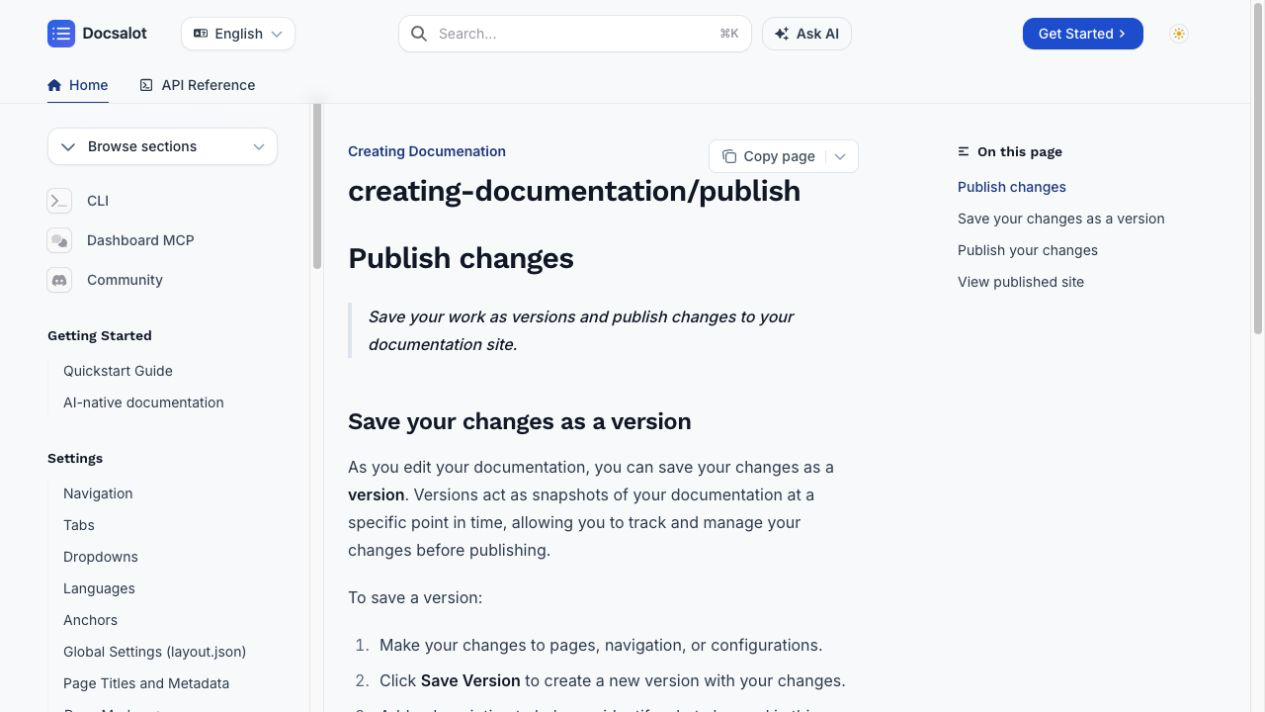
A current DocsAlot publishing workflow. Versioning and publishing are explicit steps even when contributors work through a browser instead of Git commands.
The final verification matters because a successful build can still publish a page that is hard to discover or hard for an agent to parse. The public docs benchmark is one way to test the published surface rather than stopping at a green CI check.
What Git Solves, And What It Does Not
This distinction is the most important part of a docs-as-code strategy.
| Git and CI can solve | Git and CI do not solve automatically |
|---|---|
| Who changed a page and why | Whether an undocumented product change happened |
| Review before a change merges | Whether the assigned reviewer understands the user task |
| Build, link, and style validation | Whether the explanation is complete or useful |
| Reproducible publishing | Whether readers can find the right page |
| Rollback and version history | Whether two valid pages now contradict each other |
| Co-locating docs with code | Whether somebody actually updates the docs with the code |
The failure mode is predictable: a team adopts Markdown and Git, celebrates the new workflow, and still ships stale documentation because change detection and ownership were never designed.
Benefits Of Documentation As Code
Reviewable History
Every change has an author, discussion, diff, and merge point. That is much better than a page silently changing inside a CMS with no useful context.
Reusable Automation
The same checks run for every contributor. A new writer does not need to remember the team's entire publishing ritual because the pipeline enforces it.
Better Developer Participation
Engineers can update examples, API references, and release notes with tools they already use. Documentation can become part of the pull request instead of a follow-up ticket.
Portable Content
Plain-text source is easier to export, search, transform, and migrate than content trapped inside a proprietary editor. Portability does not eliminate migration work, but it lowers the risk.
Repeatable Publishing
The build output is generated from a known source state. A release can be reproduced, rolled back, or tied to a software version.
Where Docs As Code Fails In Practice
Non-Technical Contributors Get Excluded
Git is familiar to engineers. It is not a reasonable requirement for every support specialist, product marketer, or subject-matter expert. If contribution requires a local environment, branch management, and merge-conflict resolution, many useful contributors will stop contributing.
The Repository Becomes The Workflow
Teams sometimes spend more time maintaining the static-site generator, custom components, preview infrastructure, search integration, and dependency upgrades than improving content. The docs stack becomes another frontend application.
Reviews Become A Queue
Pull requests help only when ownership is clear. Otherwise documentation waits for an engineer who does not know they are the reviewer, while the product ships without it.
Version Control Is Mistaken For Accuracy
The main branch contains the latest approved text. That does not mean the text describes the latest product. Accuracy requires a signal that connects code, API, UI, and policy changes to affected documentation.
Publishing Success Is Mistaken For Reader Success
A green build says the site compiled. It says nothing about search intent, navigation, examples, accessibility, or whether an AI agent can retrieve the page in a useful format.
Docs As Code Vs A Browser CMS Vs A Hybrid Workflow
| Model | Best fit | Main strength | Main weakness |
|---|---|---|---|
| Docs as code | Engineering-led products and open-source projects | Review, portability, automation, and source control | Higher contribution and stack-ownership cost |
| Browser CMS | Support, success, and mixed business teams | Fast editing with low technical friction | Can drift away from code and release workflows |
| Hybrid Git + CMS | Product teams with mixed contributors | Engineers keep Git while others edit in a browser | Requires a clear synchronization and conflict model |
The hybrid model is often the practical answer. Engineers can work in Git, while writers and product experts use a browser editor against the same documentation system.
Mintlify is a strong Git-native option with a polished hosted layer. GitBook is strong when visual editing and knowledge workflows lead the decision. DocsAlot is designed for a hybrid workflow where Git, browser editing, automation, and agent-readable publishing live together.
Docs-As-Code Tools By Category
You do not need one vendor for every layer. You do need an owner for each layer.
- Authoring: Markdown, MDX, AsciiDoc, or reStructuredText.
- Version control: GitHub, GitLab, Bitbucket, or another Git host.
- Review: Pull requests, code owners, required checks, and preview links.
- Style: Vale or a project-specific prose linter.
- Links: a maintained link checker or crawler that understands your routes.
- API validation: OpenAPI linting and schema validation.
- Build: Docusaurus, Fumadocs, Astro Starlight, Sphinx, MkDocs, or a hosted platform.
- Deployment: GitHub Actions, GitLab CI, or the publishing workflow built into the documentation platform.
- Change detection: release checklists, ownership rules, code-to-doc mapping, or automation that flags documentation drift.
- Published validation: analytics, search feedback, broken-link monitoring, and a docs-quality benchmark.
The tool list changes. The responsibilities do not.
A Practical Implementation Checklist
- Choose the repository and content format.
- Assign owners for product areas and documentation sections.
- Define which code, API, UI, and policy changes require docs.
- Add a local preview command.
- Add build, link, style, metadata, and API-spec checks.
- Require a documentation review when affected paths change.
- Generate a preview URL for every pull request.
- Publish from an approved branch or version.
- Preserve redirects and canonical URLs during migrations.
- Verify the production site after every release.
- Measure failed searches, reader questions, benchmark results, and stale pages.
- Give non-technical experts a contribution path that does not require Git.
How DocsAlot Uses A Hybrid Model
DocsAlot does not require a team to choose between Git and a usable browser workflow.
The current DocsAlot CLI supports agent-driven and manual workflows for creating, pulling, previewing, pushing, and publishing documentation. The browser workflow supports editing, versioning, and publishing without asking every contributor to learn the command line. The published site can also expose an API reference, search, Ask AI, and agent-readable outputs from the same content system.
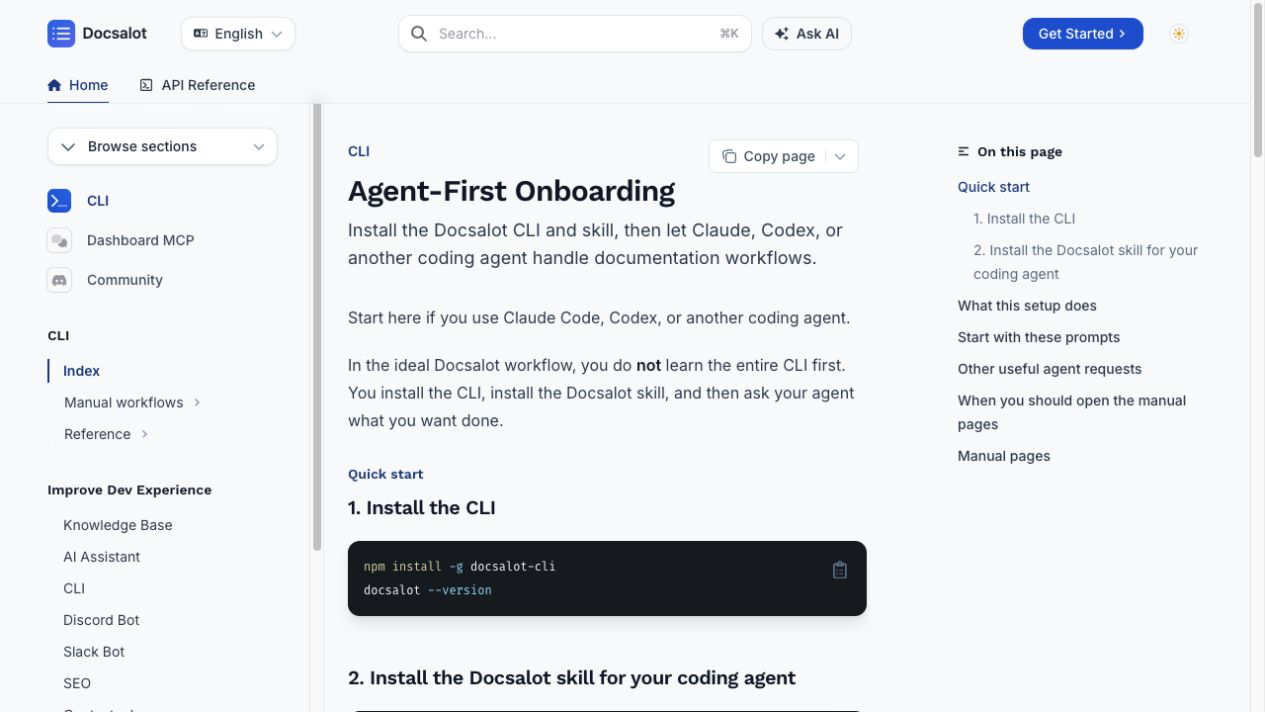
The current DocsAlot CLI documentation starts with the real workflow: install the CLI and skill, then let a coding agent handle create, preview, update, and publish tasks.
The more important layer is change detection. GitHub documentation automation and API docs automation are useful when the team wants product changes to produce a documentation signal instead of relying on memory. AI-readable documentation addresses the published output, not just the source files.
That still does not make accuracy automatic. Teams must review proposed changes, decide what belongs in the public documentation, and verify the result after publishing.
FAQ
Is docs as code the same as documentation as code?
Yes. Both terms describe managing documentation with development tools and practices such as plain text, Git, pull requests, automated tests, and repeatable deployment.
Does docs as code require documentation to live beside application code?
No. A separate documentation repository can still use a docs-as-code workflow. Co-location makes code and docs changes easier to review together, but it can also complicate permissions and release ownership. Choose the structure that makes documentation impact visible.
Which format is best for docs as code?
Markdown is the simplest default. MDX is useful when the site needs interactive React components. AsciiDoc and reStructuredText are strong in ecosystems that already use their tooling. The right format is the one your contributors can review and your publishing system can validate reliably.
Does Git keep documentation up to date?
No. Git records documentation changes; it does not detect every product change that should have produced one. Keeping docs current requires ownership, a definition of done, release signals, and automation that notices code-to-doc drift.
Can non-developers participate in a docs-as-code workflow?
Yes, but forcing every contributor through Git is usually a mistake. A hybrid system can keep Git as a source or synchronization path while offering a browser editor, previews, comments, and controlled publishing for non-technical contributors.
How do you test a docs-as-code site?
Test both the source and the published result. In CI, validate structure, links, style, API schemas, and the production build. After publishing, check redirects, metadata, navigation, search, examples, accessibility, and machine readability.