GitBook Alternative
DocsAlot vs GitBook
A direct comparison for teams choosing between GitBook's editor-first hosted docs stack and DocsAlot's automation-first developer-docs system.
Read this when the shortlist is already down to two serious hosted options and the decision is no longer basic feature coverage. GitBook shines on WYSIWYG editing. DocsAlot wins when you care more about automated updates, sharper developer-docs workflows, and a much lower fixed price.
Product context
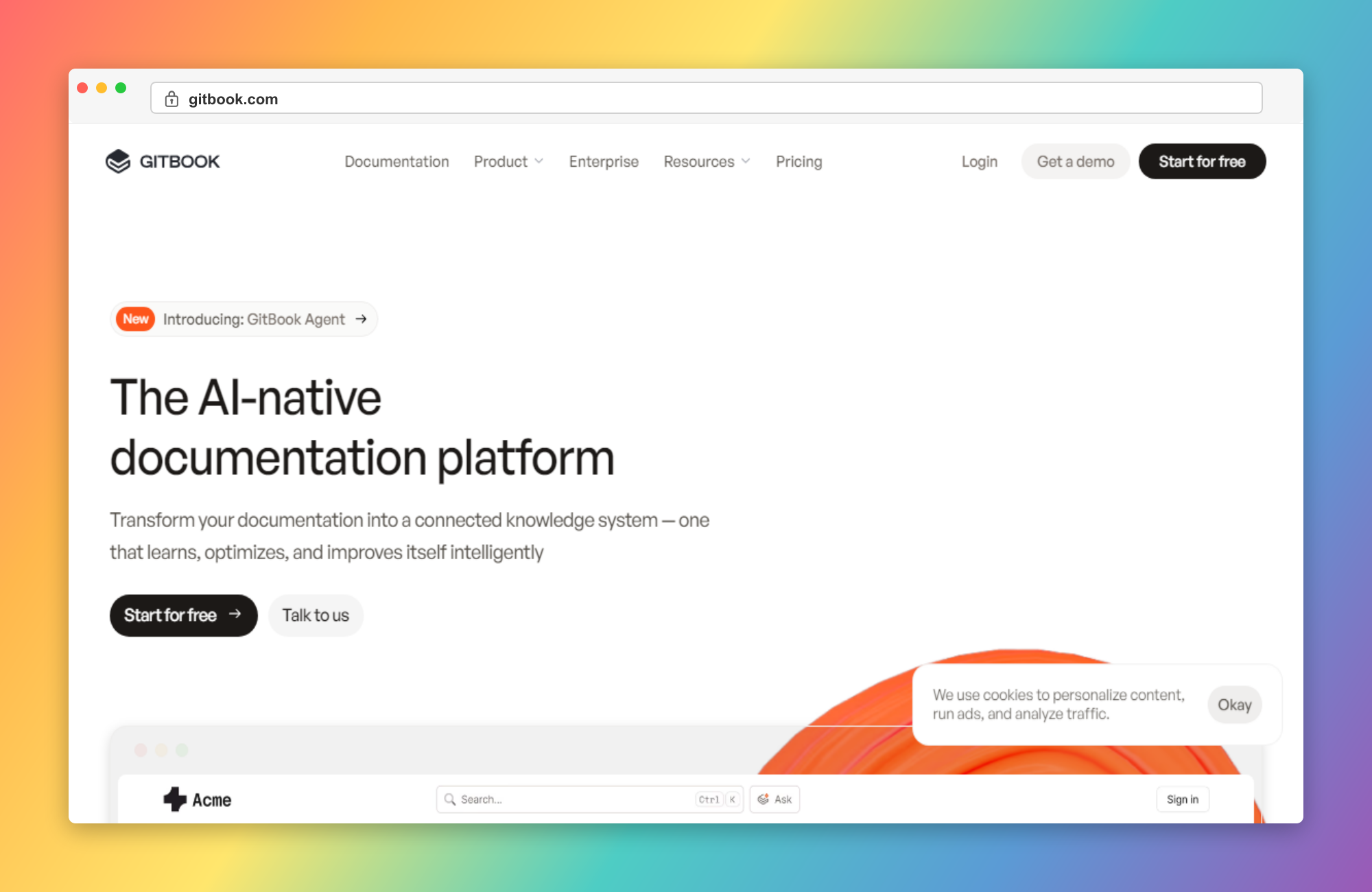
See the product in context.
Use the screenshot as product context only. The later correctness pass still needs to verify detailed claims, pricing, and product boundaries separately.
Why teams pick DocsAlot
Where DocsAlot tends to pull ahead.
These are the areas where teams usually stop treating GitBook as good enough and start looking for a docs workflow with less manual upkeep.
Automated Updates Beat Manual Maintenance
DocsAlot is stronger when the main pain is not publishing the site once, but keeping help content, product docs, and technical explanations current as the product keeps moving.
Mature API Docs With Agent-Readable Delivery
Publish mature API and developer docs with llms.txt, skill.md, and hosted MCP access so agents can consume a canonical version of product knowledge.
Roughly One-Third the Monthly Cost
DocsAlot Team is $99/month. GitBook grows through site pricing plus per-user pricing, so many serious paid setups end up materially more expensive.
Sharper Developer-Docs Workflow
DocsAlot is a better fit when migration, cleanup, AI discoverability, better-looking developer docs, and documentation operations matter as much as the hosted writing surface.
Automatic Documentation Refresh
DocsAlot keeps documentation aligned with product and code updates, reducing stale content that teams often face in GitBook.
Pricing model
How the cost shape changes.
Use this as packaging context only. The later correctness pass still needs to verify plan boundaries, current limits, and exact pricing details.
Free is $0 per site per month. Premium is $65 per site per month plus $12 per user. Ultimate is $249 per site per month plus $12 per user. Enterprise is custom.
Startup is free for public docs. Team is $99/month for production help centers and developer docs. Enterprise adds security, rollout support, migration depth, and hands-on support.
Side-by-side matrix
Compare workflow, cost, and maintenance.
This table exists to answer the buying question directly, not just to stack feature checkmarks side by side.
Swipe sideways on mobile to view the full matrix.
| Dimension | DocsAlot | GitBook | Takeaway |
|---|---|---|---|
| Hosted docs presentation | Strong | Strong | GitBook if the main priority is a polished hosted docs and knowledge surface with strong editor-first UX. |
| Editing model | CMS + Git sync | WYSIWYG editor + Git Sync | GitBook if the best visual editor in the category is the main requirement. |
| Team-stage pricing | $99/month | $65-249/site + $12/user | DocsAlot if roughly one-third pricing and fixed team economics matter more than site plus user scaling. |
| AI / agent readiness | llms.txt + skill.md + hosted MCP | LLM-ready docs + AI Assistant + MCP | Both are now explicitly AI-facing. Compare operating model and rollout fit rather than assuming one side lacks AI. |
| Docs upkeep burden | Lower | More manual | DocsAlot if the team wants automated updates and less recurring authoring and maintenance drag. |
| API-doc maturity | Strong | Strong | DocsAlot is already strong enough that the real decision is editor preference and price, not whether either side can handle serious developer docs. |
| Documentation Velocity | High | Medium | DocsAlot - Faster drafting and iteration cycles. |
| Maintenance Overhead | Low | High | DocsAlot - Less manual upkeep over time. |
This matrix is intentionally dense because these pages are meant to answer buying questions, not just act as thin keyword landing pages.
Long-form read
What this comparison means in practice.
Read this as the operating-model summary: GitBook is an editor-first hosted docs product, while DocsAlot is the lower-cost automation-first developer-docs system.
GitBook and DocsAlot overlap on more of the visible surface area than older alternative pages usually admit. GitBook now spans public docs, API docs, help centers, internal knowledge, AI search, AI Assistant, and MCP-ready publishing. That means the real decision is not whether GitBook is modern enough. It is whether the company wants an editor-first knowledge system or a docs workflow built around automated updates, mature API docs, and lower long-term maintenance.
GitBook is strongest when the product itself is meant to be a polished hosted knowledge destination. Its WYSIWYG editor is still one of the best in the market, Git Sync is already built in, and the product works well when the team wants public docs, internal knowledge, and visual editing in one place. If editor quality and hosted docs polish are the highest priorities, GitBook still makes real sense.
DocsAlot is stronger when the team wants the developer-docs system itself to do more work. That means mature API docs, cleaner developer-doc presentation, AI-readable outputs, hosted MCP access, automated updates that reduce drift between product change and published documentation, and agents that can use website and dashboard context as source material. The point is not that GitBook lacks good docs tooling. The point is that DocsAlot puts more of the ongoing maintenance burden on the system instead of the humans behind it.
That is why the cost model matters so much in this comparison. GitBook pricing compounds through site pricing plus per-user pricing, while DocsAlot Team stays at a flat $99/month. For many paid setups, DocsAlot lands closer to roughly one-third of the monthly cost. If the company genuinely needs the strongest visual editor in the category, GitBook can justify its model. If the real need is automated updates, mature developer docs, and lower fixed pricing, DocsAlot is the more practical choice.
Product shape
What each product is optimized to do.
Two tools can overlap on outputs while still being built for very different documentation jobs. This is the higher-level operating-model read.
GitBook
What GitBook optimizes for.
GitBook is a hosted documentation and knowledge platform built around a polished block editor, Git Sync, API docs, help centers, internal knowledge, AI search, AI Assistant, and MCP support for published docs. It is broader than a plain docs editor or wiki.
DocsAlot
What DocsAlot optimizes for.
DocsAlot is a managed documentation system for teams that want mature API docs, better-looking developer docs, AI-readable outputs, hosted MCP access, website and dashboard-aware agents, and optional migration or setup support without owning the full documentation operation themselves.
Fit guidance
Who should actually choose which tool.
Use this guide to separate "good enough today" from "built for the way the team wants to work next."
GitBook
Choose GitBook if you need
- You Want a Polished Editor-First Knowledge System: GitBook is still a strong choice when the team wants visual editing, publishing polish, and a hosted docs product that can also cover help centers and internal knowledge.
- Git Sync Is Core to the Workflow: The team explicitly wants both a visual editor and repository-connected docs-as-code pathways in the same product.
- Embedded Assistant and Search Are Central: GitBook is strong when AI search, Assistant, authenticated access, and knowledge-system behavior are part of the main product requirement.
DocsAlot
Choose DocsAlot if you want
- You Want Less Maintenance Drag: The team is tired of owning recurring docs updates, cleanup, and publishing process on top of product work.
- You Want Predictable Team Pricing: The docs program has multiple contributors and you do not want per-site plus per-user cost math shaping the decision.
- AI-Readable Delivery Matters: You want llms.txt, skill.md, hosted MCP access, and a system intentionally built for AI discoverability.
- You Need More Rollout Help: Migration, setup, help-center structure, and docs operations matter as much as the hosted editor itself.
Validate fit
Test the shortlist with real workflow signals.
Use the switching reasons below before you commit. The goal is not to prefer the louder product, but to choose the one that creates less documentation drag.
Why teams switch from GitBook
- The hosted docs surface was strong, but the team still owned too much of the recurring content work.
- Site plus per-user pricing became harder to justify as more people touched the docs program.
- The knowledge-system scope was broader than the team needed, but upkeep burden still stayed internal.
- AI support existed, yet documentation lag and cleanup work were still real operating problems.
- The switch decision came down to lower-maintenance docs operations, not whether GitBook looked polished enough.
- GitBook workflows require too much manual writing and updates.
What DocsAlot changes
- You Want Less Maintenance Drag: The team is tired of owning recurring docs updates, cleanup, and publishing process on top of product work.
- You Want Predictable Team Pricing: The docs program has multiple contributors and you do not want per-site plus per-user cost math shaping the decision.
- AI-Readable Delivery Matters: You want llms.txt, skill.md, hosted MCP access, and a system intentionally built for AI discoverability.
FAQs
Questions that usually block the switch.
These are usually the questions that slow internal alignment, migration planning, or procurement once the shortlist is already real.
Can I migrate from GitBook easily?
Yes. GitBook supports import and Git Sync, and DocsAlot can help migrate the content into a broader documentation workflow. The bigger decision is whether you still want an editor-centric knowledge system or a lower-upkeep docs operating model.
Is GitBook still just a manual docs tool?
No. GitBook now positions itself as a product knowledge system with AI search, Git Sync, help centers, internal knowledge, API docs, and MCP support. It should be compared as a broader hosted knowledge product.
Which is better for a growing product team?
If the team wants a polished hosted knowledge system with strong visual editing, GitBook is still strong. If the real need is fixed-cost production docs, AI-readable delivery, and less maintenance burden, DocsAlot is usually the better fit.
Is GitBook more expensive than DocsAlot?
Usually once the docs program involves multiple contributors. GitBook’s paid tiers combine per-site pricing with per-user pricing, while DocsAlot Team is a flat $99/month.
Do both support AI and MCP workflows?
Yes. GitBook explicitly talks about LLM-ready docs, AI Assistant, AI Search, and MCP for published docs. DocsAlot also centers AI-readable outputs and hosted MCP access. The more useful comparison is how much of the wider docs operation each product helps you manage.
When does GitBook still make more sense?
GitBook makes sense when the team wants a polished hosted docs and knowledge product, values the visual editor heavily, and is comfortable owning more of the content upkeep inside that system.
Keep researching
Keep the shortlist moving.
Move sideways from here if the shortlist is still open, or drop back into the earlier-stage head-to-head pages before committing to a direct DocsAlot evaluation.
Try the workflow
Ready to test whether DocsAlot fits your documentation stack?
Start with a trial if you already know the category fit, or use the free audit tools if you want evidence from your current docs before switching.