Confluence Alternative
DocsAlot vs Confluence
A direct comparison for shortlist-stage buyers who need the tradeoffs laid out without filler.
Read this when DocsAlot and Confluence are both viable options and the main question is which workflow creates less friction over time.
Product context
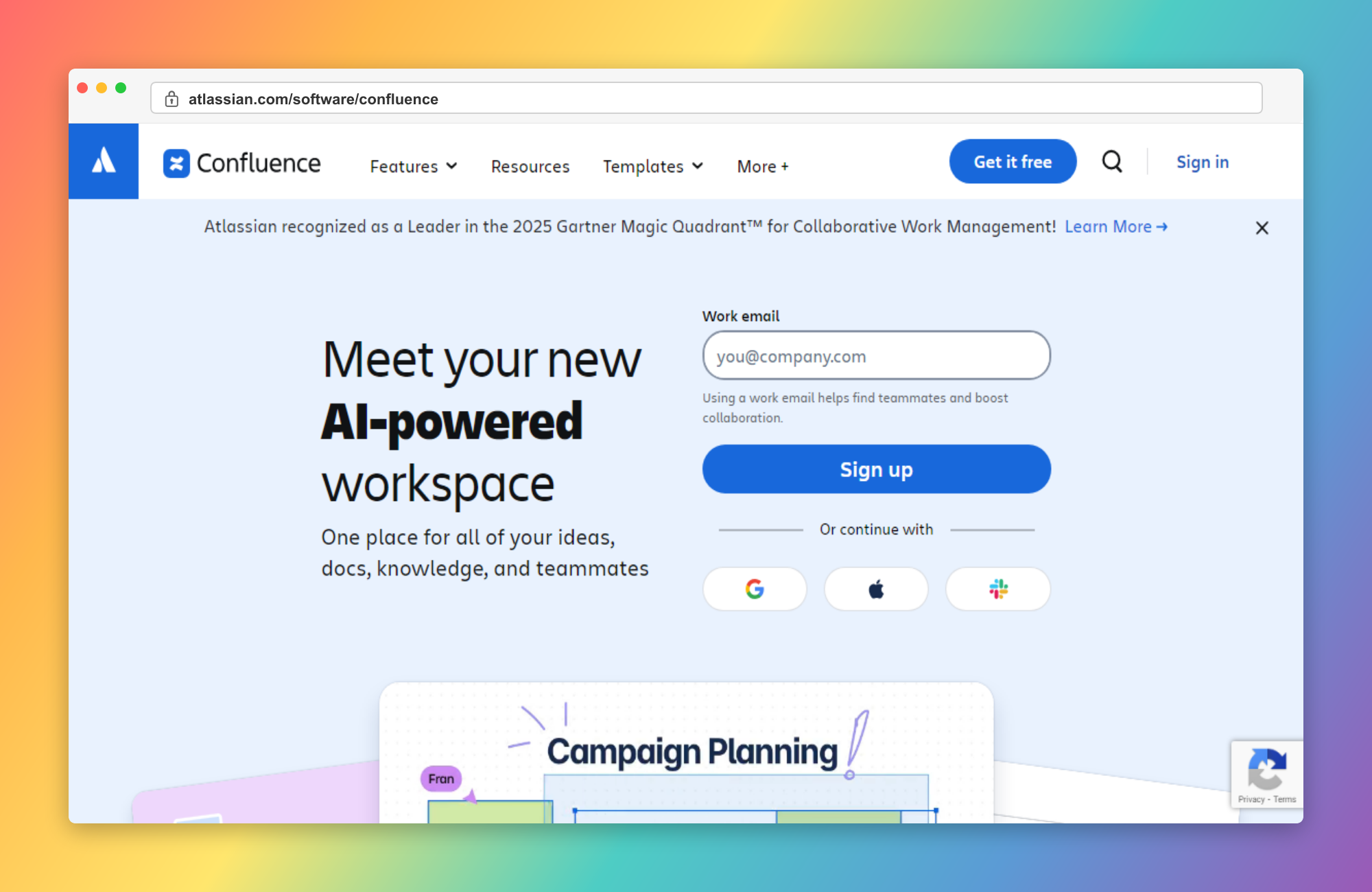
See the product in context.
Use the screenshot as product context only. The later correctness pass still needs to verify detailed claims, pricing, and product boundaries separately.
Why teams pick DocsAlot
Where DocsAlot tends to pull ahead.
These are the areas where teams usually stop treating Confluence as good enough and start looking for a docs workflow with less manual upkeep.
Public Docs Instead of Internal Workspace Gravity
DocsAlot is stronger when the company needs a clearer external documentation destination rather than a broad internal knowledge workspace.
AI-Readable Delivery Outside the Collaboration Stack
Publish llms.txt, skill.md, and hosted MCP access so agents can consume product knowledge from a canonical docs layer.
Fixed Docs Pricing vs Per-User Workspace Pricing
DocsAlot Team is $99/month. Confluence pricing grows by user count because the product is sold as a shared AI workspace, not a focused docs platform.
Stronger Fit for Technical and Product Docs
DocsAlot is a better fit when the same system needs to serve help-center content, onboarding, APIs, and technical product education together.
Automatic Documentation Refresh
DocsAlot keeps documentation aligned with product and code updates, reducing stale content that teams often face in Confluence.
Pricing model
How the cost shape changes.
Use this as packaging context only. The later correctness pass still needs to verify plan boundaries, current limits, and exact pricing details.
Free covers up to 10 users. Standard starts from $5.42 per user per month and Premium from $10.44 per user per month. Enterprise is annual and custom.
Startup is free for public docs. Team is $99/month for production help centers and developer docs. Enterprise adds governance, migration support, and rollout help.
Side-by-side matrix
Compare workflow, cost, and maintenance.
This table exists to answer the buying question directly, not just to stack feature checkmarks side by side.
Swipe sideways on mobile to view the full matrix.
| Dimension | DocsAlot | Confluence | Takeaway |
|---|---|---|---|
| Platform center of gravity | Documentation | Internal collaboration | Confluence if the main job is broad team knowledge and human+AI workspace collaboration. |
| Public product-docs fit | Stronger | Secondary | DocsAlot if external docs quality and maintenance are the main job. |
| Technical docs depth | Stronger | General-purpose | DocsAlot if the docs layer must serve technical product education, help-center content, and developer docs together. |
| AI / agent readiness | llms.txt + skill.md + hosted MCP | Rovo search, chat, and agents | Both are AI-facing. Compare whether AI should sit inside a collaboration workspace or a docs-first layer. |
| Pricing model | $0-99/month | Per-user workspace pricing | DocsAlot if a fixed-cost docs platform matters more than a shared internal workspace. |
| Atlassian ecosystem depth | Limited | Strong | Confluence if deep Jira-centric collaboration is a core requirement. |
| Documentation Velocity | High | Medium | DocsAlot - Faster drafting and iteration cycles. |
| Maintenance Overhead | Low | High | DocsAlot - Less manual upkeep over time. |
This matrix is intentionally dense because these pages are meant to answer buying questions, not just act as thin keyword landing pages.
Long-form read
What this comparison means in practice.
Read this as the operating-model summary: Confluence is an AI workspace for internal knowledge, while DocsAlot is the documentation layer for polished public product docs.
Confluence and DocsAlot are not meaningfully competing for the same job unless the company is using Confluence as a fallback public-docs system. Confluence is now an AI workspace for live docs, whiteboards, databases, team knowledge, and Rovo-assisted collaboration. So the real comparison is not whether Confluence can hold documentation. It is whether the company wants documentation to stay embedded in a broad internal workspace or wants a dedicated external-facing docs layer.
Confluence is strongest when internal collaboration is the center of gravity. If Jira-centric teamwork, broad company knowledge, cross-functional planning, and internal documentation are the main jobs, then keeping content inside the Atlassian ecosystem is still a coherent choice. It makes especially good sense when the knowledge itself is primarily for employees rather than for customers, developers, or product users reading a polished external destination.
DocsAlot is stronger when the company needs a clearer public documentation system. That matters when onboarding content, support documentation, developer docs, product education, and technical explanation all need to live in one external-facing layer instead of getting mixed into a collaboration workspace. In that model, DocsAlot creates a stronger reading destination, lowers maintenance overhead, and provides AI-readable outputs plus hosted MCP access without turning the docs layer into another internal productivity tool.
The pricing model follows the same split. Confluence is sold like a shared workspace, so the cost grows with user count and broader team adoption. DocsAlot stays on fixed docs pricing. If the main need is internal AI-enabled collaboration, Confluence is still the right fit. If the company wants stronger product docs with lower upkeep and clearer external ownership, DocsAlot is the more practical choice.
Product shape
What each product is optimized to do.
Two tools can overlap on outputs while still being built for very different documentation jobs. This is the higher-level operating-model read.
Confluence
What Confluence optimizes for.
Confluence is Atlassian’s AI workspace for team knowledge, live docs, whiteboards, databases, and Rovo-powered collaboration. It can absolutely hold documentation, but its center of gravity is still broad internal teamwork rather than polished external product docs.
DocsAlot
What DocsAlot optimizes for.
DocsAlot is a managed documentation system for teams that want help-center and developer-docs infrastructure, AI-readable outputs, hosted MCP access, and stronger external documentation without turning the docs layer into a general workspace.
Fit guidance
Who should actually choose which tool.
Use this guide to separate "good enough today" from "built for the way the team wants to work next."
Confluence
Choose Confluence if you need
- Internal Collaboration Is the Main Job: The team wants one AI workspace for ideas, docs, whiteboards, databases, and cross-functional collaboration.
- You Already Run on Atlassian: Jira and the broader Atlassian stack are already the operational center, so keeping knowledge inside that system may still make sense.
- Company Knowledge Matters More Than Public Docs: The primary need is internal documentation and team collaboration, not polished external product docs.
DocsAlot
Choose DocsAlot if you want
- You Need a Real Public Docs Destination: The company wants an external documentation layer that can carry onboarding, support deflection, and product education without getting buried in an internal workspace.
- You Also Need Technical Docs: The same system needs to handle developer docs, help-center content, and technical product explanation together.
- AI-Readable Delivery Matters: You want llms.txt, skill.md, and hosted MCP access rather than only internal AI workspace features.
- You Want Fixed Docs Pricing: The documentation decision should not scale with how many people use the broader collaboration workspace.
Validate fit
Test the shortlist with real workflow signals.
Use the switching reasons below before you commit. The goal is not to prefer the louder product, but to choose the one that creates less documentation drag.
Why teams switch from Confluence
- The workspace was useful internally, but public product docs still felt secondary and hard to maintain.
- Technical docs got buried alongside broader collaboration content.
- Per-user workspace pricing felt heavy when the main need was a stronger docs layer.
- The company needed a clearer external documentation destination instead of a general internal knowledge tool.
- Confluence workflows require too much manual writing and updates.
- Documentation quality drops when release velocity increases.
What DocsAlot changes
- You Need a Real Public Docs Destination: The company wants an external documentation layer that can carry onboarding, support deflection, and product education without getting buried in an internal workspace.
- You Also Need Technical Docs: The same system needs to handle developer docs, help-center content, and technical product explanation together.
- AI-Readable Delivery Matters: You want llms.txt, skill.md, and hosted MCP access rather than only internal AI workspace features.
FAQs
Questions that usually block the switch.
These are usually the questions that slow internal alignment, migration planning, or procurement once the shortlist is already real.
Can I migrate from Confluence?
Yes. Confluence has strong import and export support, and moving content out is usually straightforward. The bigger question is whether you still want documentation living inside an internal workspace or in a dedicated docs layer.
Is Confluence still a valid docs tool?
Yes, especially for internal documentation. It is just not best understood as a docs-first product anymore; Atlassian now positions it as a broad AI workspace for team knowledge and collaboration.
When does Confluence still make more sense?
Confluence makes more sense when internal collaboration, Jira-centric workflows, and broad company knowledge matter more than polished external product docs.
Can I use both?
Yes. Many teams still keep Confluence for internal collaboration and use a dedicated platform like DocsAlot for external product docs, help-center content, and technical documentation.
What is the cleanest way to think about this comparison?
Confluence is an internal AI workspace that can hold documentation. DocsAlot is a dedicated documentation system. The right choice depends on whether your center of gravity is collaboration or product docs.
How difficult is migrating from Confluence?
Migration is typically straightforward with phased rollout: import existing content, map navigation, then enrich pages with automation where it adds the most value.
Keep researching
Keep the shortlist moving.
Move sideways from here if the shortlist is still open, or drop back into the earlier-stage head-to-head pages before committing to a direct DocsAlot evaluation.
Try the workflow
Ready to test whether DocsAlot fits your documentation stack?
Start with a trial if you already know the category fit, or use the free audit tools if you want evidence from your current docs before switching.